Leave
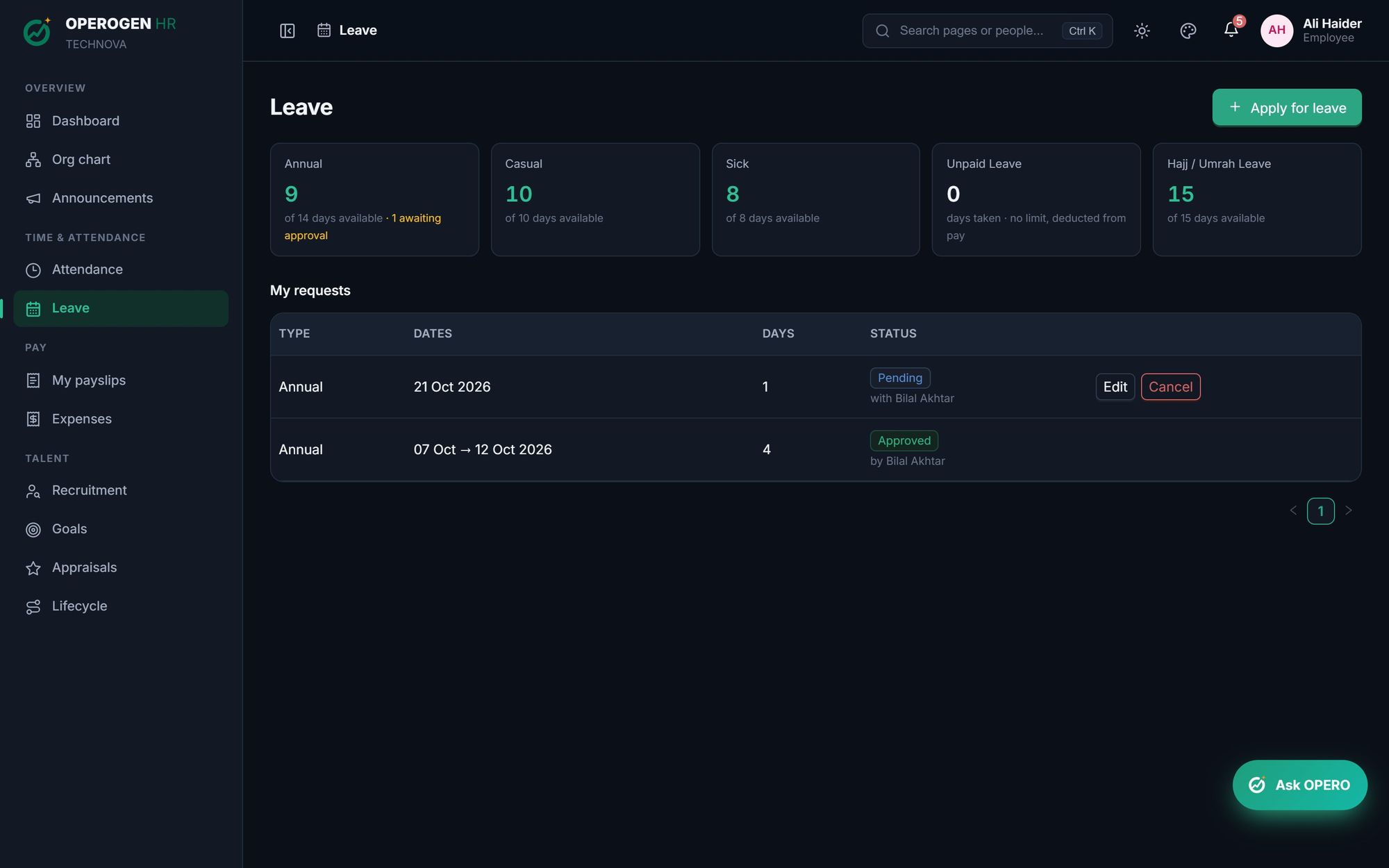
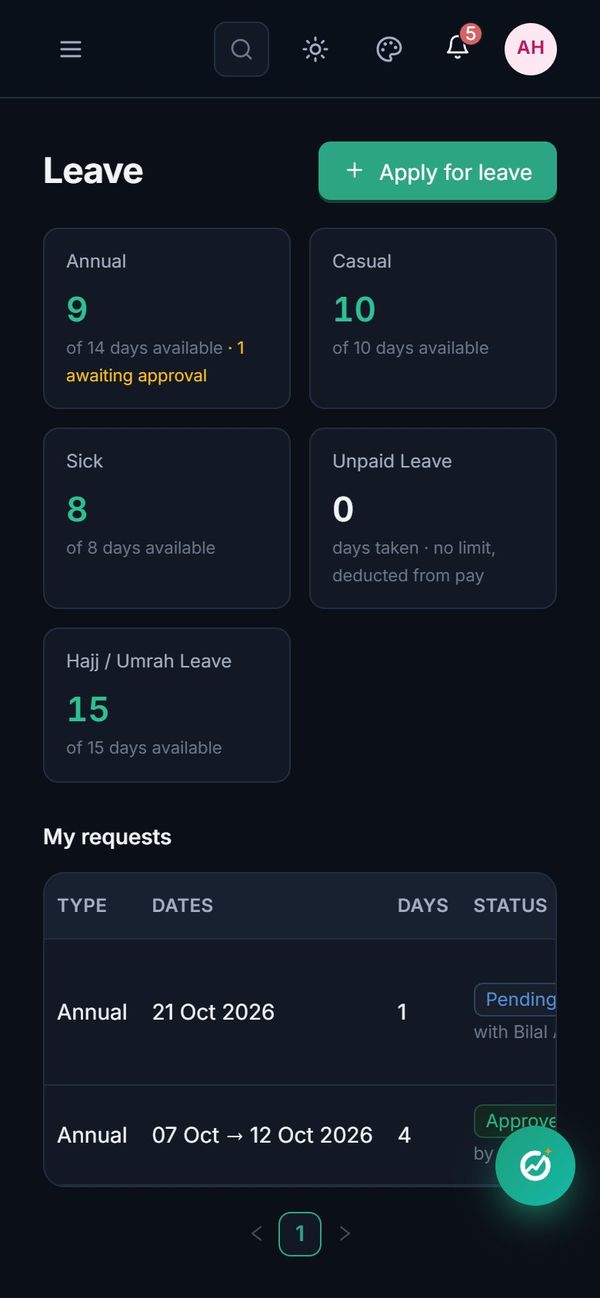
Time off, applied in seconds and counted correctly. Employees see their balances and apply in a few taps. OPEROGEN counts only real working days, follows your policy on probation, notice periods and back-dated leave, and sends the request to the right person.
Everything in Leave.
Your leave types
Annual, casual, sick, unpaid, maternity or Hajj: set yearly days, paid or unpaid, and who each type applies to.
Gender-specific types
Maternity and paternity leave only appear for the people they apply to.
Working days only
Weekends and holidays aren't counted, and the form shows the day count as dates are picked.
Half days
Apply for half a day when that's all you need.
Carry forward
Unused days roll over up to a cap you choose.
Probation and notice rules
Decide whether people on probation or serving notice can apply.
Back-dated leave
Forgot to apply? Leave can be applied up to the number of days back your company allows.
Edit or cancel
Change a pending request, or cancel approved leave that hasn't started.
Three steps. That's it.
- 1
Set up leave types and yearly days.
- 2
Employees apply from the app.
- 3
The manager approves; balances and payroll update.
About Leave.
What does the balance message mean?
It shows days you can still apply for, after counting requests already waiting for approval, so nobody is approved for leave they don't have.
Can long leave need a second approval?
Yes. Set a number of days, and longer requests go to HR after the manager.
See Leave in action.
A 30-minute walkthrough of the modules you care about, with your questions answered by the people who built it.