Dashboard & insights
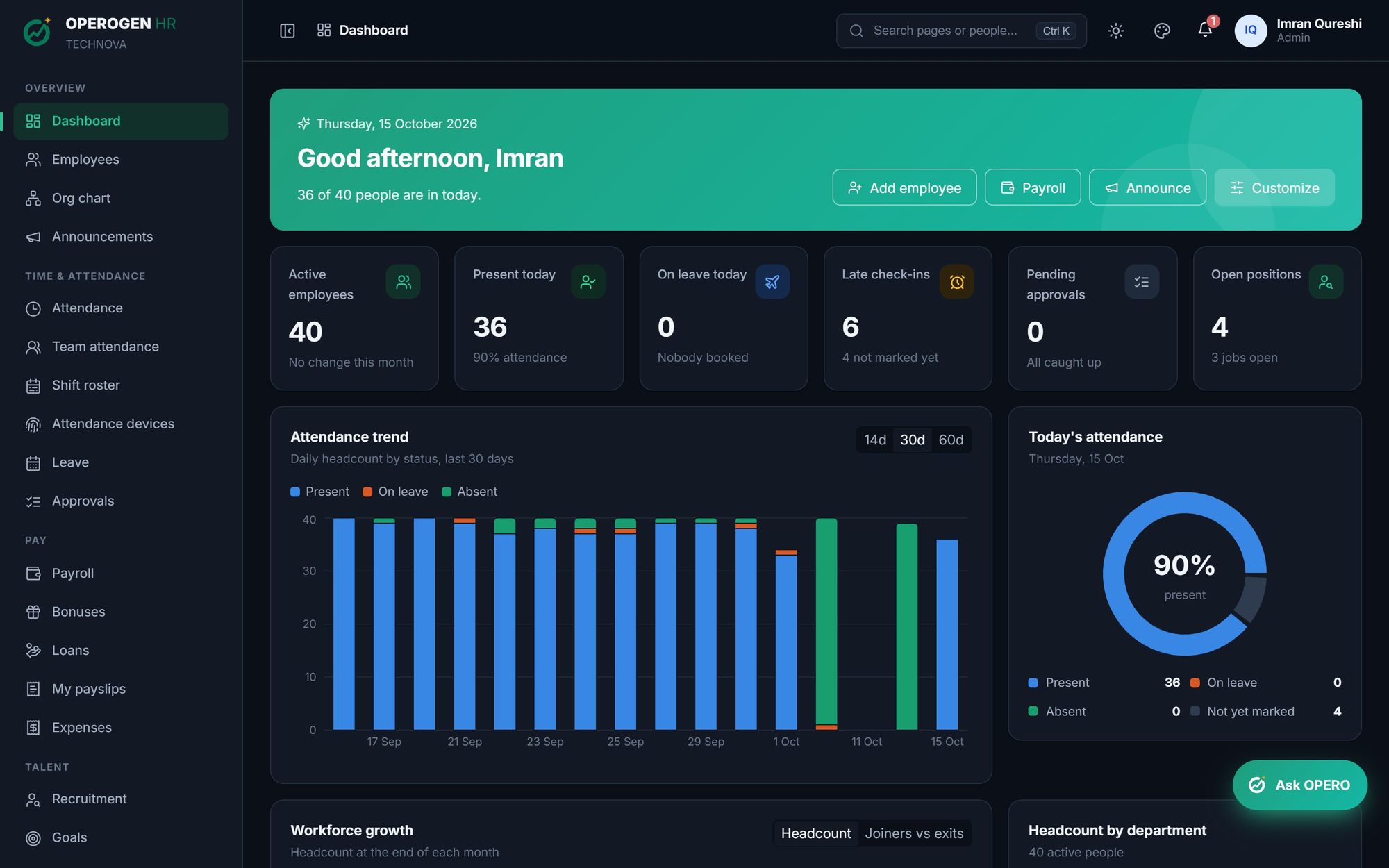
Start every morning knowing exactly where things stand. A live picture of your company the moment you sign in: who's in, who's on leave, who checked in late, what's waiting for approval and how payroll is trending. Each role sees what matters to them, and every card opens the module behind it.
Everything in Dashboard & insights.
Today at a glance
Active headcount, present today, on leave, late check-ins, pending approvals and open positions in one row of cards.
Attendance trend
Daily headcount by status for the last 14, 30 or 60 days, so patterns show up before they become problems.
Workforce growth
Headcount at the end of each month and joiners versus exits over time.
Headcount by department
See how your company is shaped and where it's growing.
People moments
Upcoming holidays, new joiners, work anniversaries and probation reviews coming due.
Customise your view
Hide the cards you don't need. Each person's dashboard remembers their choice.
Quick actions
Add an employee, open payroll or post an announcement straight from the greeting banner.
Employee home
Employees get their own home: check in, leave balance, upcoming leave, latest payslip and goals.
Three steps. That's it.
- 1
Sign in: the dashboard loads for your role.
- 2
Scan today's numbers and what's waiting on you.
- 3
Click any card to act in the right module.
About Dashboard & insights.
Do employees see the company dashboard?
No. Employees get a personal home with their own attendance, leave and payslips. Company-wide numbers are for Admin and HR, and managers see their own team.
See Dashboard & insights in action.
A 30-minute walkthrough of the modules you care about, with your questions answered by the people who built it.