Probation reviews
Confirm the right people, on time. See everyone whose probation ends in the next 30, 60 or 90 days, ask their manager for a review, and record HR's decision: confirm, extend or not confirm. The confirmation or extension letter is one click away.
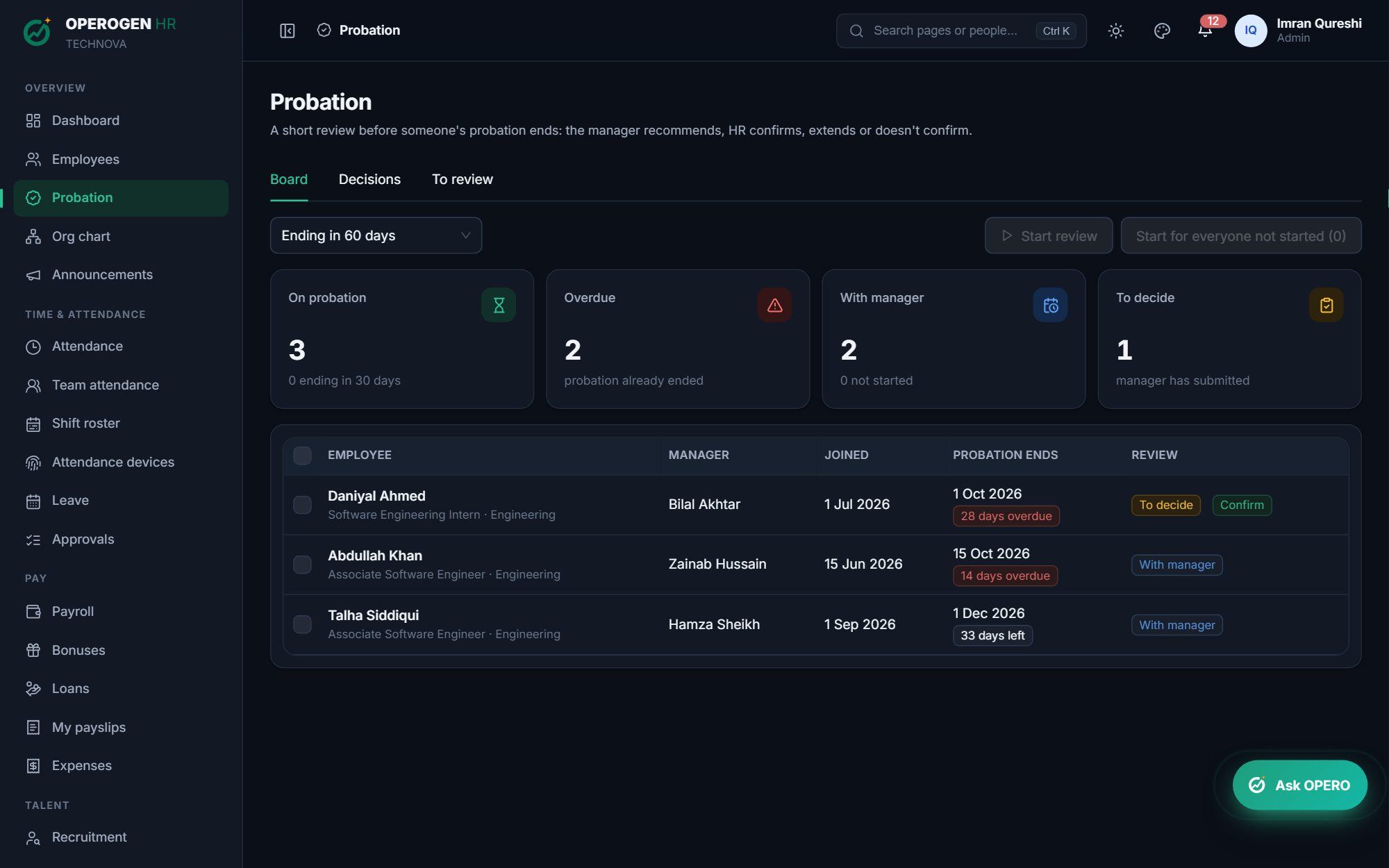
Everything in Probation reviews.
Probation board
Everyone ending soon or overdue, with days left and where their review stands.
Start in bulk
Ask managers for reviews one person at a time, for a selection, or for everyone not started.
Manager's review
Five ratings, strengths, what to improve and a recommendation: confirm, extend or not confirm.
HR decides
Confirming updates the employee's record; extending moves the probation end date.
Letters ready
Issue a confirmation or extension letter straight from the decided review.
Reminders
HR hears when a probation is ending with no review, and managers when theirs is still open.
Three steps. That's it.
- 1
See who is coming up on the board.
- 2
The manager reviews and recommends.
- 3
HR decides and issues the letter.
See Probation reviews in action.
A 30-minute walkthrough of the modules you care about, with your questions answered by the people who built it.